 Hyprnux
Apps, not packages
Search, or browse ten categories. Fonts, drivers and libraries stay apart, under System components.
The desktop
Find, install and update apps from one window, in plain words.
In development: not in the Hyprnux repository.
hyprnux-store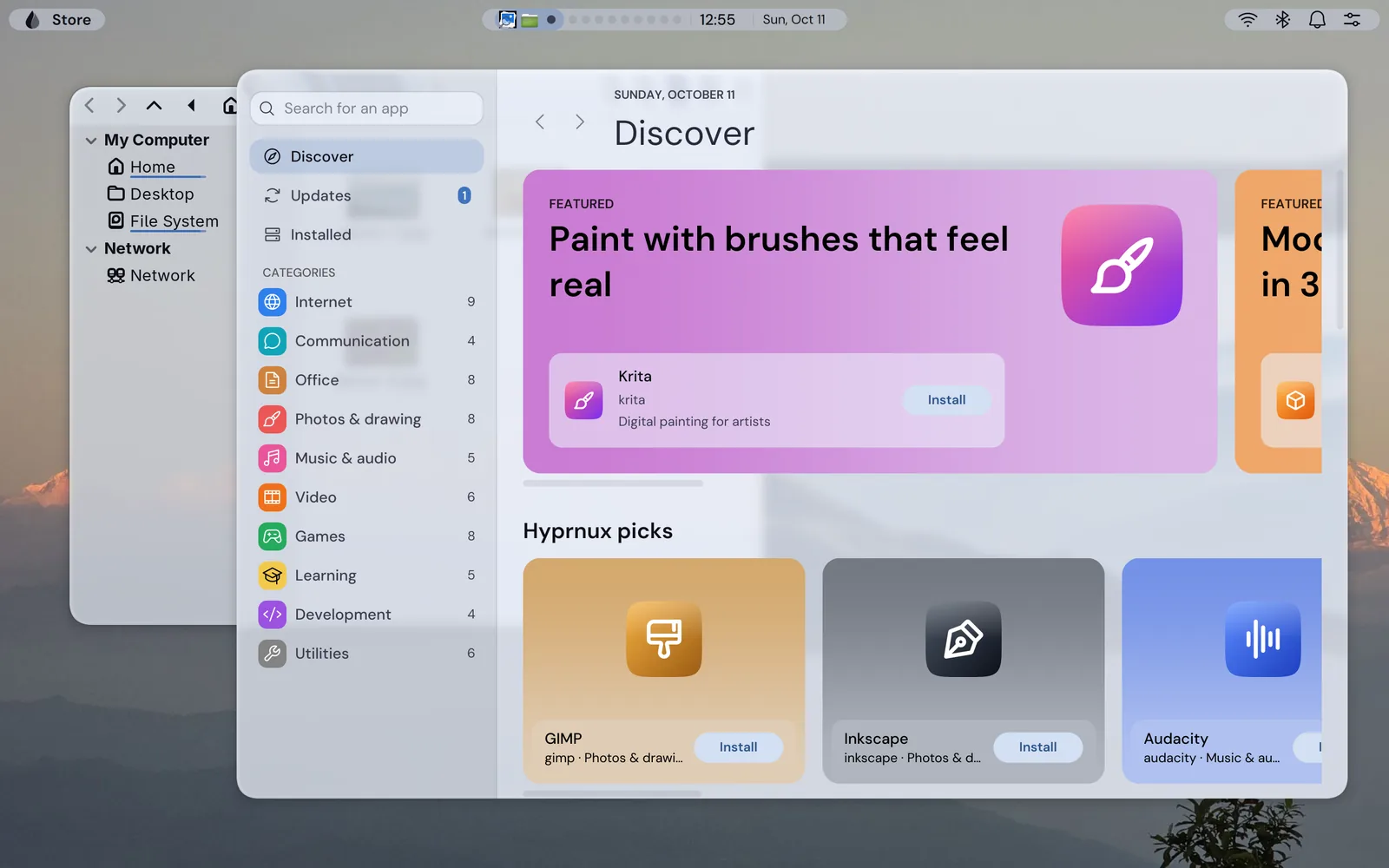
Search, or browse ten categories. Fonts, drivers and libraries stay apart, under System components.
A screen says what will be installed, how much is downloaded and whether a password or a restart is needed. Advanced settings add the exact commands.
The system update with its size and one button, and Update everything: the system first, then each community app.
Apps from the AUR are built on your computer from volunteers’ instructions. They are off by default; once on, you read what will be built and give your password for each one.
A Hyprnux pick is a recommendation from the team, nothing more. The Store never calls an app validated, certified or approved.
No account, ratings or tracking. Screenshots come from the internet only as you allow: ask me, always or never.
Before you start. An Arch Linux system with pacman, and a Wayland session with a working graphics driver.
Packaged for pacman, on Arch Linux. Add the Hyprnux repository once first: Install Hyprnux. On another distribution, build it from its sources.
Not in the Hyprnux repository. This is the command for when it is.
sudo pacman -S hyprnux-storeThe package brings hyprnux-store-helper, a small program that installs and removes software as the administrator, only after you confirm and give your password. Settings is optional: with it, the Sources and Updates pages appear under Applications, Store.
sudo pacman -Rns hyprnux-storeIf something goes wrong, see the install guide.