 Hyprnux
On day one
On a computer installed from the Hyprnux installer image, an assistant guides you from an empty machine to your desktop, with nothing to edit and no command to type.
Pre-release 2026-10A Linux desktop on Arch
Hyprnux is a free, open source Linux desktop on Arch: windows, a bar, a launcher and one Settings app that covers most of the daily things. The terminal and your own files are still there when you want more.
Installs with pacman, the Arch package manager · builds from source on other distributions


Separate pieces floating at the edge: the default.Your desktop, your bar: choose the layout, the side and the items in Settings.One bar from edge to edge.Your desktop, your bar: choose the layout, the side and the items in Settings.One bar inset from the edges, with rounded corners.Your desktop, your bar: choose the layout, the side and the items in Settings.A frame around the whole screen, with the bar as one side.Your desktop, your bar: choose the layout, the side and the items in Settings.Top, bottom, left or right: the bar goes where you want it.Your desktop, your bar: choose the layout, the side and the items in Settings.
Why Hyprnux
The same system, whatever you know. Most things are done through interfaces, and the terminal and your files stay open.
On a computer installed from the Hyprnux installer image, an assistant guides you from an empty machine to your desktop, with nothing to edit and no command to type.
Most of what you do every day needs no terminal.
The terminal and your files stay open, and your own configuration is never replaced.
The Store
Search by name or browse the categories. The Store says what will change before it does anything, and keeps fonts, drivers and libraries apart from your apps.
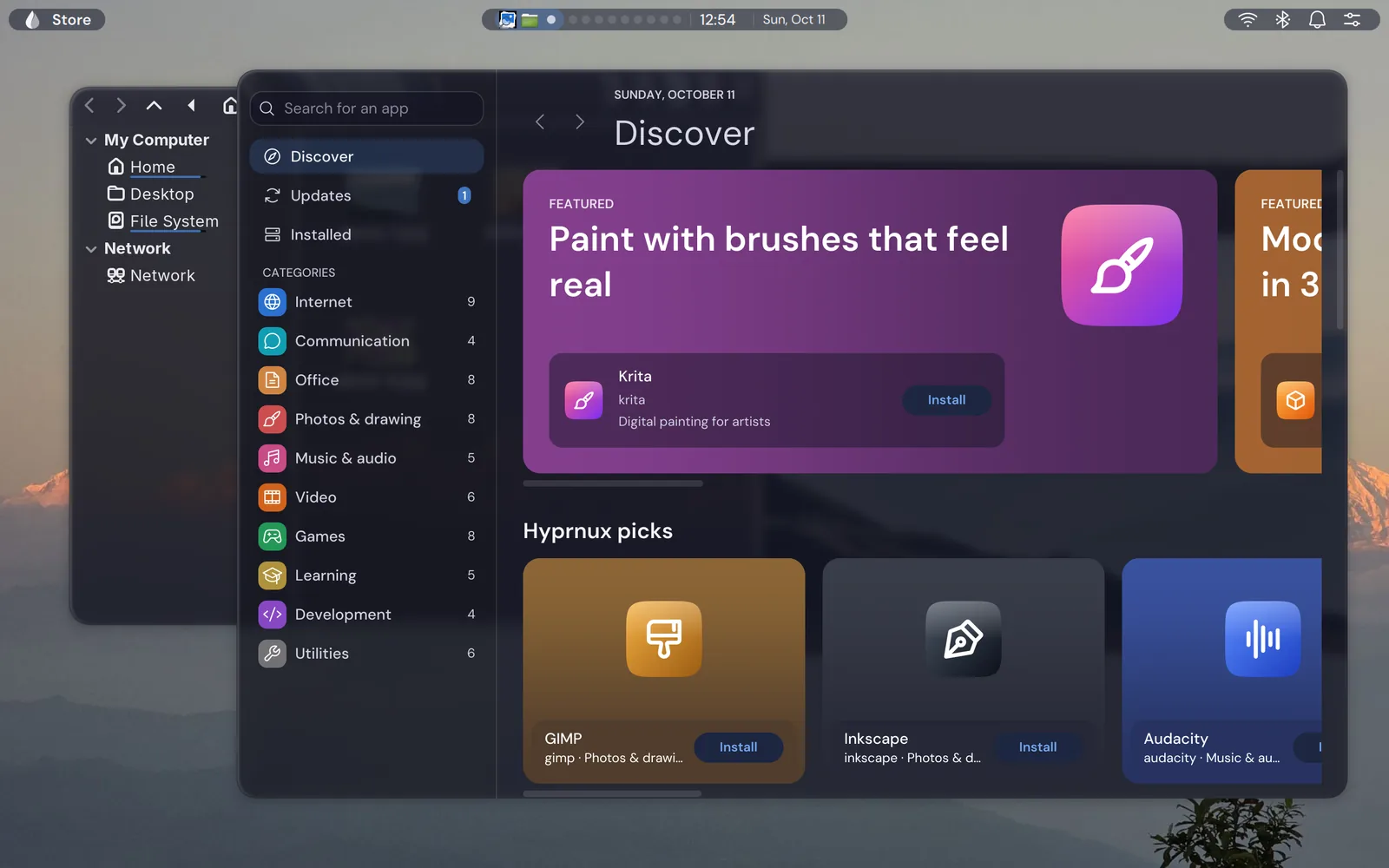
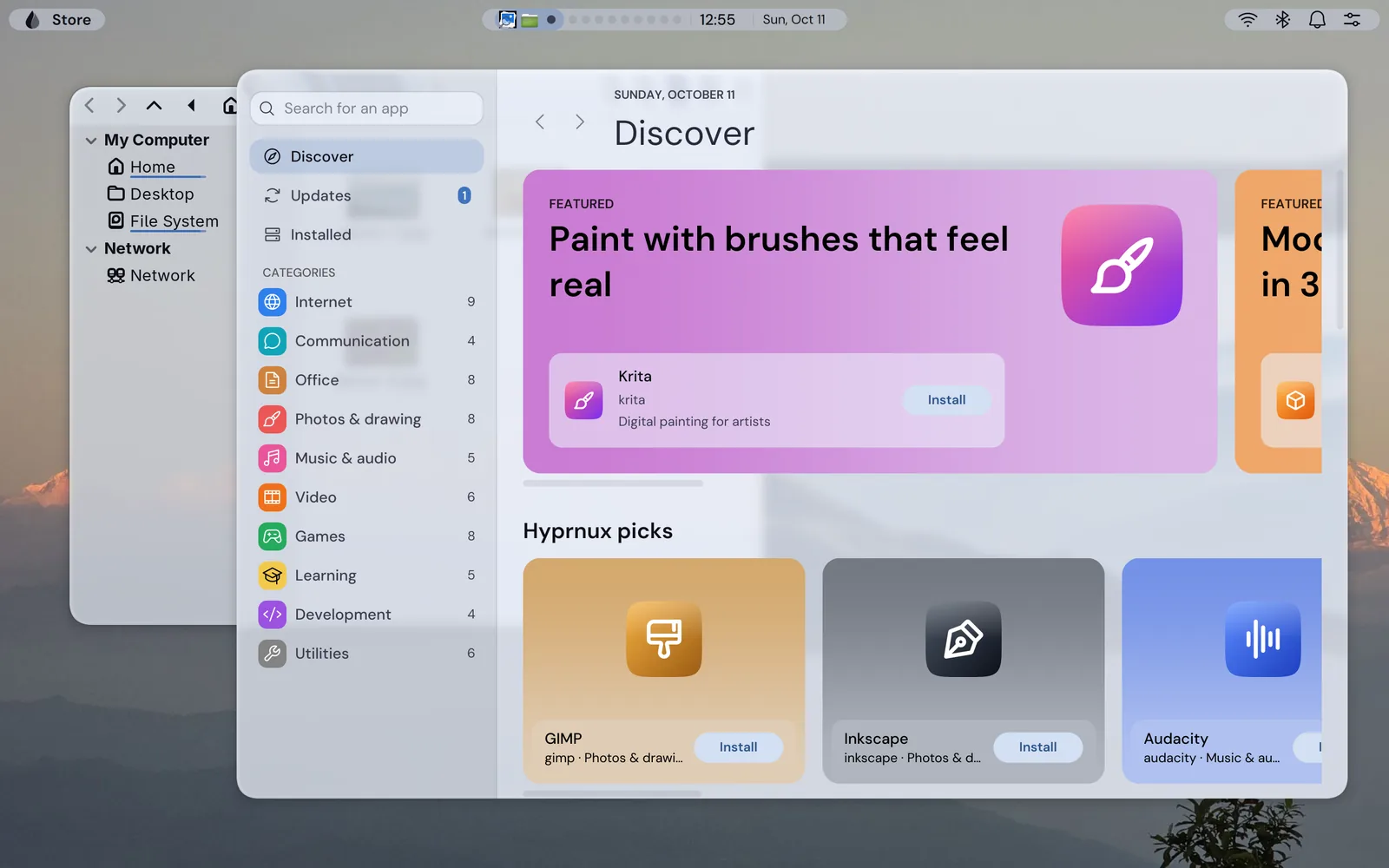
In development: not in the Hyprnux repository. Apps install with pacman, as on any Arch Linux.
Appearance

One theme, one accent and the same look for the bar, the launcher, the notifications and every Hyprnux app.
How the look works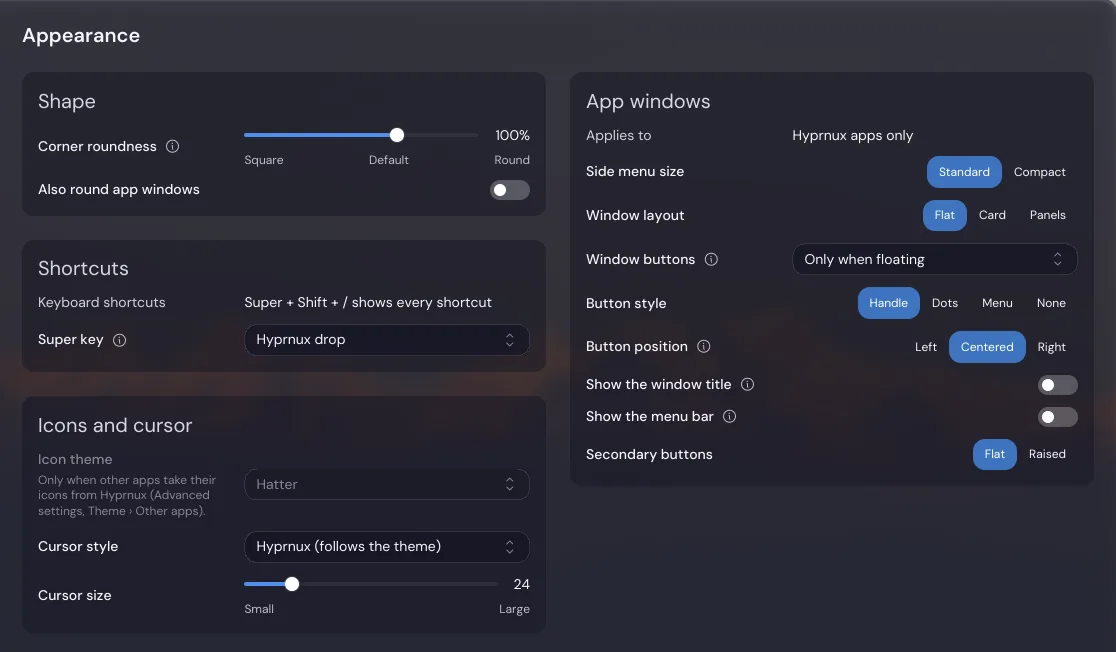
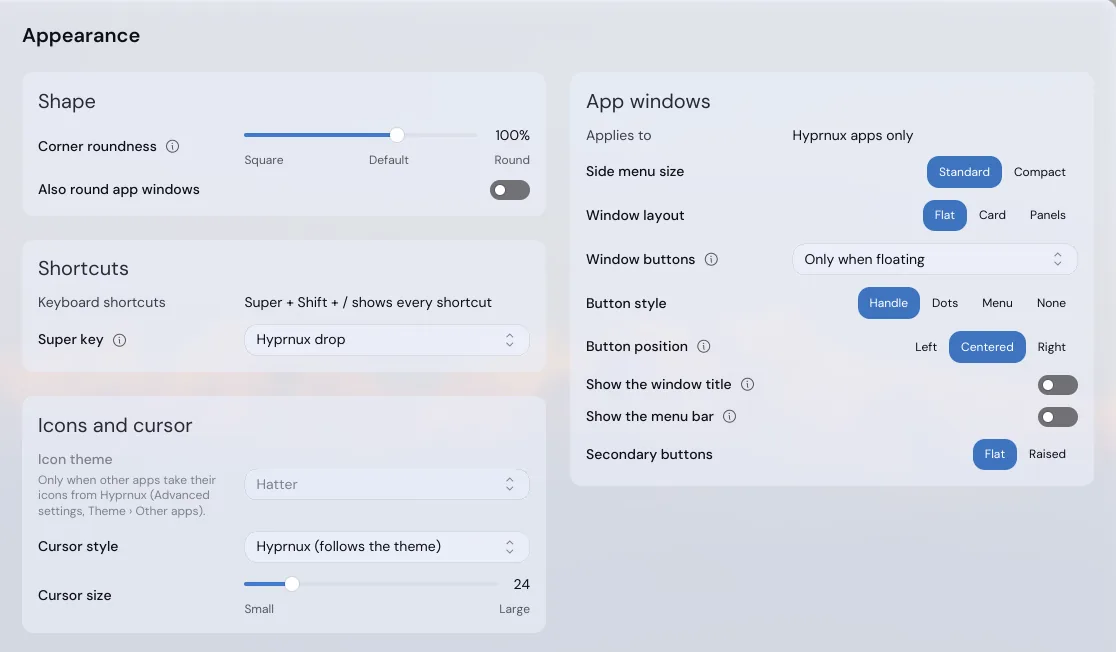
One app for most of the desktop. Search finds every option, even the advanced ones, and a Settings page is a plain file.
About Settings
The optional login screen has the look you choose. The optional first-start assistant takes a new computer to its first account.
About the login screenDark and light
Choose light or dark, with one accent color for every Hyprnux app. The bar and the panels get a glass effect that blurs what is behind them. Without Hyprglass, the glass effects plugin, panels are plain and solid.
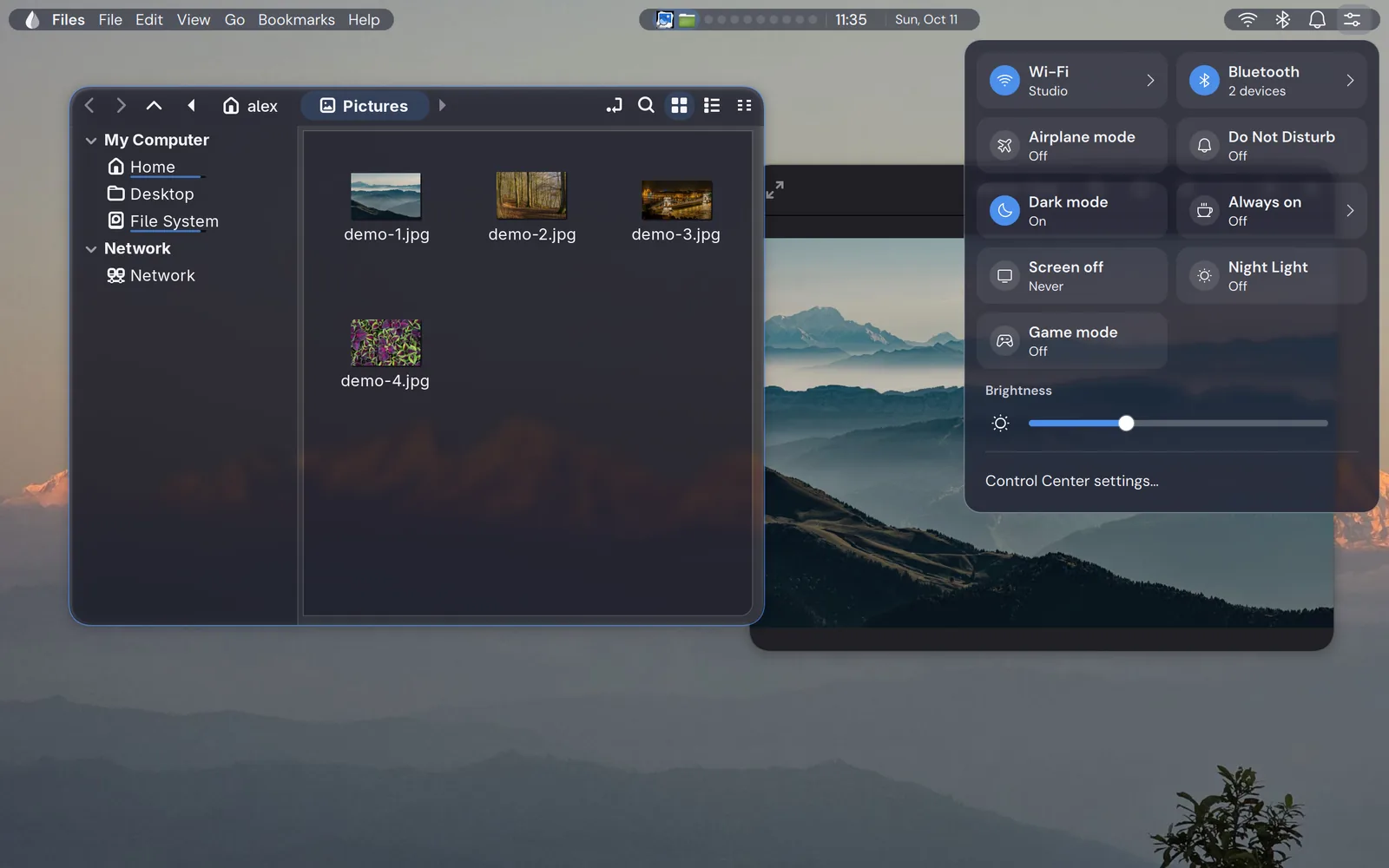
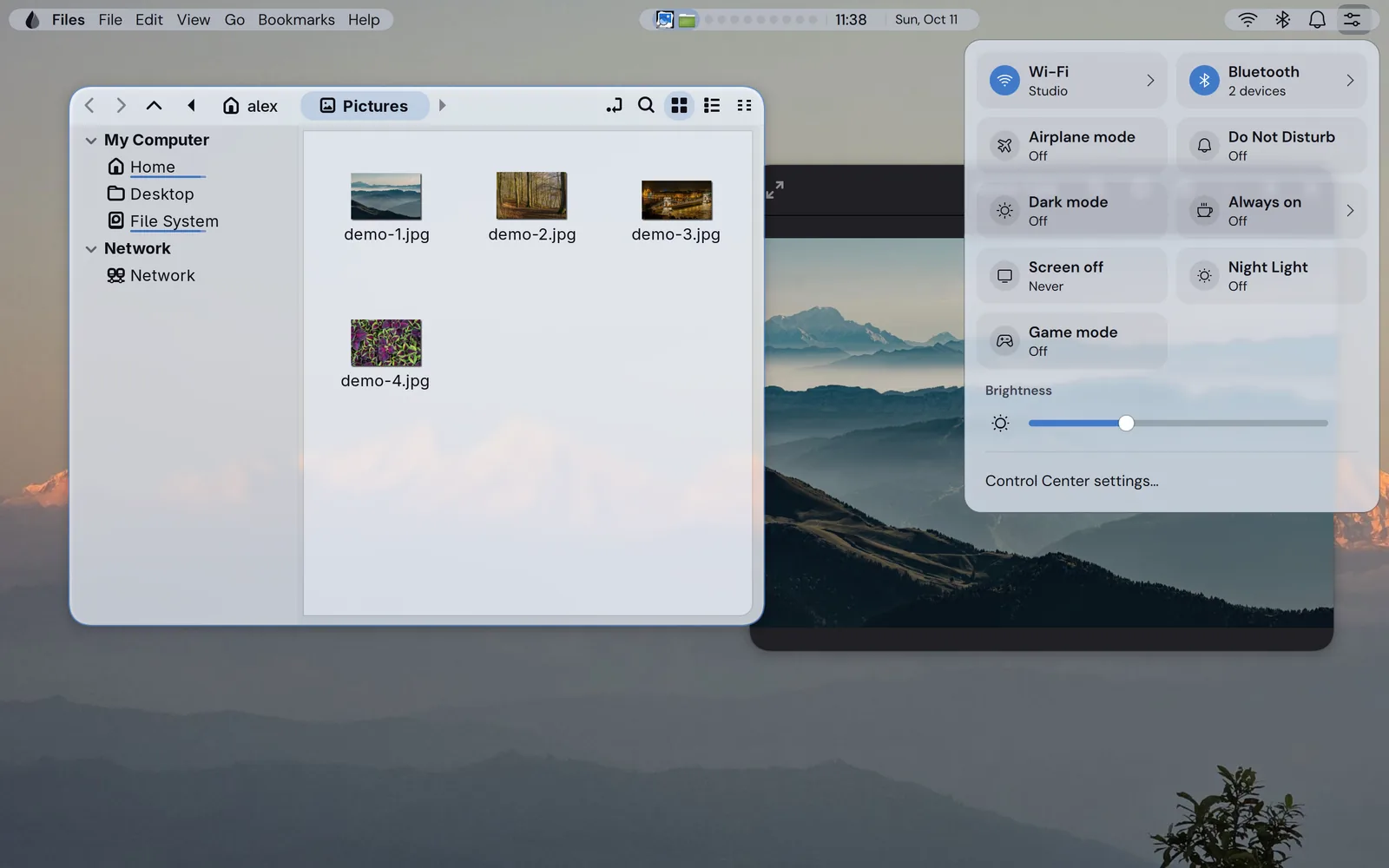
Settings, Theme, Transparency level: Highest, High, Standard or Low. Highest also removes the blur, so it is the one that looks different. The pictures show Highest and Standard.


The glass blurs what is really behind it and, by default, the bar and the panels adjust so that their text stays readable over it.


Built to stay calm
On a machine set up from the Hyprnux installer image, every edition includes them. On your own Arch you get the signed packages and set up the rest yourself.
Your own files
The person who looks after your machines can add a page for your own tool. A Settings page is a short JSON file, saved as ~/.config/hyprnux/. Settings draws it, searches it, translates it and saves its values, and a page is data that cannot run code. The guide takes about ten minutes.
Shortcuts
Super is the key with the Windows logo (the Command key on a Mac keyboard). Every shortcut has a default and can be changed in Settings.

Editions
Community and Pro are free and open source. Enterprise is paid, on request. The hold-back is a delay before Arch updates are installed. It is off by default, so today every edition takes Arch updates as soon as they ship. Only Community can be installed today.
The latest software: Community gets Arch’s packages as soon as they are published.
The base of every edition.
For work machines that should change less often. The edition is designed to hold Arch updates back 7 days; you switch the setting on.
Everything in Community, plus an optional password rule.
For organizations. It is designed to hold updates back 30 days, a setting you switch on.
Everything in Pro, plus an audit trail and tools built with your organization. Contact us about Enterprise
Is it for you?
Two roles: the person who installs it needs Arch and a terminal; the people who use it every day need neither.
hyprland.lua, the file that sets up Hyprland (the window manager). It stays yours: add two lines to load the desktop and Hyprglass, or take only one part, such as Settings.In the 2026-10 pre-release: the desktop shell (the bar, the launcher and the panels), Settings, the Hyprland configuration and the Hyprglass plugin, as pacman packages for Arch Linux. The login screen and the first-start assistant are optional. The Store is in development. English and French only. The installer image is not published: you install on an Arch Linux you already have.
Questions before you start? Read the documentation.
Questions
A free Linux desktop on Arch Linux: windows, a bar, a launcher and one Settings app, with a ready Hyprland setup. It is open source.
No. It is Arch Linux with a desktop on top. pacman works as usual, and you install Hyprnux from its own pacman repository.
Hyprnux is built on Hyprland, the window manager. It adds a bar, a launcher, one Settings app and a ready configuration. If you already have your own hyprland.lua, you keep it and add a few lines.
Community for the newest software. Pro for work machines that should change less often. Enterprise if an organization needs an audit trail and tools built with it; it is paid, on request. All three give the same desktop.
As on any Arch Linux: with pacman, in a terminal. The Hyprnux Store, a window that finds, installs and updates apps and says what will change first, is in development.
Yes. Your own hyprland.lua is never replaced and the settings are plain JSON files. Each part is a pacman package, so you can remove it with pacman.
Anyone who wants a ready-made package for apt or dnf, has never installed Linux (today Hyprnux installs on an Arch Linux you already have), or needs software that only runs on Windows or macOS.
Install
Add the Hyprnux repository once, then install the parts you want. Each part installs on its own. The packages install with pacman, the software installer of Arch Linux.
You need an x86_64 PC, Arch Linux, hyprland 0.56 or newer (the window manager) and quickshell 0.3 or newer (the toolkit the bar is drawn with), both from the Arch repositories. The glass effects need the Hyprglass plugin.
1 · Get the key and check it
curl -fsSLO https://www.hyprnux.org/hyprnux.gpg
gpg --show-keys hyprnux.gpgCheck that the line under pub reads BF3FA18AE63F226028A83A2E3DA59F85B9821E2C If it does, the install page shows how to trust the key and add the repository; then install the parts below.
2 · Install the parts you want, once the repository is added
sudo pacman -Syu
sudo pacman -S hyprnux-keyring hyprnux-shell \
hyprnux-settings hyprglass hyprnux-hyprlandThe command installs the shell, Settings, Hyprglass and the Hyprland configuration. The login screen and the first-start assistant are optional and are in the install guide. To try the desktop, log out and choose the Hyprland session on your login screen. To remove it, see “Remove” on the install page. Settings alone is one package: hyprnux-settings.